Tools & Resources

Tools for Staying Focused in a Notification Hellscape

April 15, 2026

Your phone and computer are engineered to interrupt you. Here are the tools and tactics that actually work to reclaim your focus and stop the notification madness.

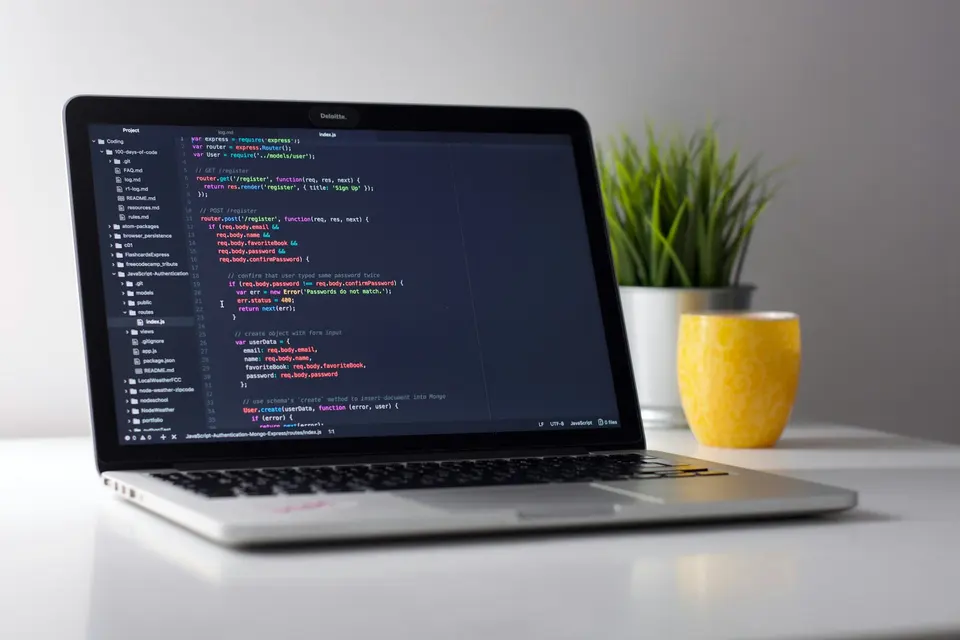
A focused workspace with a phone face-down on a desk, laptop screen visible
Photo by Unsplash

Your phone buzzes. Slack pings. Three browser tabs just popped notifications. A calendar reminder screams at you. Your email counts unread messages like they’re personal attacks.

This isn’t productivity. This is psychological warfare dressed up as “staying connected.”

The brutal truth: Your devices are designed to interrupt you. Every notification, every badge number, every red dot is the product of engineers paid to make you stop what you’re doing and look at their app instead. You’re not bad at focus. You’re fighting a multi-billion-dollar attention economy.

The good news? You don’t have to lose. You just need tools that fight back harder than the distraction machine.


🛡️ The Focus Toolkit Philosophy

Here’s what works:

Layer one: Block notifications at the source (turn them off before they start) Layer two: Lock down your device (make it harder to access distractions) Layer three: Create friction (slow down your impulse to check) Layer four: Use focus modes (tell your device to silence the chaos for real)

You need all four layers working together. One alone? Useless. A strong blocker without friction still fails when you manually unlock Instagram. A focus mode that lets notifications through is security theater.

Let’s build your defense system.


🚫 The Nuclear Option: Focus Mode (Operating System Level)

iOS Focus Modes

What it does: Silences all notifications except from approved people and apps during your designated focus time.

This is the heavyweight. When you turn on a Focus Mode, your entire phone stops accepting notifications. Not “show them silently”. Stops accepting them.

Pro move: Create multiple modes.

  • Deep Work: Nothing gets through except calls from favorites
  • Family Time: Only contacts marked as VIP
  • Off Duty: Literally nothing except emergency calls
  • Social Hour: Everything (for when you actively want notifications)

Setup time: 15 minutes Maintenance: Zero after setup Effectiveness: 9/10 (only fails if you manually disable it, which you can do, but the friction stops most impulsive checking)

Android Focus Mode / Do Not Disturb

Android’s version is less elegant than iOS, but it works. Enable “Do Not Disturb” with exceptions for important contacts. More limited than iOS, but still powerful.

Real talk: If you’re serious about focus, this setting alone justifies keeping your phone on you. You’re not “missing important calls.” You’re choosing who can interrupt you in real-time. Everyone else can wait.


🔧 App-Level Nuclear Options: Notification Blockers

Freedom (Mac, Windows, iPhone, Android)

What it does: Blocks distracting websites and apps across all your devices. More powerful than browser extensions because it works at the OS level.

Why it’s different: Freedom blocks at the network level. You can’t just open a new browser or switch apps to bypass it. This is jail-break-level blocking.

Best for: Chronic phone checkers, people who need to block YouTube/Reddit/social media across multiple devices.

Cost: $40/year Setup time: 10 minutes Effectiveness: 9.5/10 (nearly impossible to bypass without restarting your device or waiting for the timer)


🧊 The Friction Layer: Make Distractions Hard to Access

Delete the App, Keep the Website

Most powerful friction move: Delete Instagram from your phone. Keep it on your computer (in Safari, not installed).

Why this works: Typing a URL requires conscious intention. Tapping an app is muscle memory. Your thumb knows exactly where that icon is. Your fingers? They have to find a keyboard.

This is not about willpower. It’s about physics.

What to delete:

  • TikTok (the scroll machine)
  • Reddit (the endless rabbit hole)
  • Facebook (self-explanatory)
  • Instagram (Reels are dopamine on demand)
  • Twitter/X (the notification slot machine)

What to keep installed:

  • Messaging apps (Slack, WhatsApp, you need these for work/life)
  • Maps and weather (genuinely useful)
  • Calendar and notes (tools, not time-wasters)
  • Banking app (needs to be accessible)

Effectiveness: 8/10 (insanely effective, but some people will open browser anyway, which is why you also need…)


🔐 Browser-Level Blocking: Extensions That Mean Business

LeechBlock NG (Chrome, Firefox, Edge)

What it does: Blocks entire websites or limits the time you can spend on them daily.

Create a blocklist of your time-eaters (Twitter, YouTube, Reddit, HackerNews) and set it so you can only access them for 15 minutes per day, starting at 6 PM.

Why it works: You can’t “just check for a minute.” The minute you hit YouTube, the counter starts. You see how much time you’re burning in real-time.

Cost: Free Setup time: 5 minutes Effectiveness: 7/10 (you can disable it, but disabling it requires intentional effort, more friction than just checking)

Cold Turkey Blocker (Windows, Mac)

What it does: Freezes your computer’s internet or locks you out of specific apps entirely during focus sessions.

The “Turkey Coldly” mode is no joke. Once activated, you cannot stop it. Not through Task Manager. Not through restarting. You have to wait for the timer or restart your entire computer.

Use case: When you really need to focus and you know you’ll cheat.

Cost: $39 one-time Effectiveness: 10/10 (by design, impossible to bypass without nuclear option)


⏱️ The Discipline Tech: Session-Based Tools

Forest (Phone + Browser)

What it does: You plant a virtual tree that dies if you leave the app/website. Grow a forest of completed focus sessions.

Why gamification works here: You’re not trying to be a better person. You’re trying to not kill a tree. Stupid? Yes. Effective? Surprisingly yes.

Setup time: 2 minutes Cost: $5 for app, free for browser Effectiveness: 6/10 (works best if you’re someone motivated by achievement/progress tracking)

Brain Focus Pomodoro (Android)

What it does: Runs Pomodoro timers on your phone with strict focus/break cycles.

The Pomodoro principle: 25 minutes focus, 5 minute break. Repeat. Your brain can handle focused work in chunks. After 25 minutes of real work, you need to break or you’ll burn out.

Cost: Free Effectiveness: 7/10 (works better for some people than others, but the 25-minute timer is bulletproof)


🎯 The Nuclear Combo (This Actually Works)

If you’re serious about reclaiming focus:

  1. Enable Focus Mode on your phone (iOS) or Do Not Disturb (Android)
  2. Delete the app, keep the website for your three biggest time-wasters
  3. Install LeechBlock and set daily limits on remaining websites
  4. Use Cold Turkey on your computer for critical work sessions
  5. Turn off badge notifications on everything (Settings → Notifications → turn off badge app icons)

Real-world test: Set this up for one week. Just one. You’ll get about 8-10 hours of genuinely focused time back.

That’s not small. That’s life-changing for most people.


🔴 What NOT to Do

  • Don’t use “Do Not Disturb” alone without also deleting apps. It’s not enough.
  • Don’t rely on willpower. Willpower fails every single time against engineered distraction.
  • Don’t create 20 different focus modes. Create 3 (Deep Work, Normal, Social) and use them.
  • Don’t use tracking apps as your primary defense. Apps like Freedom and Cold Turkey prevent the behavior. Tracking apps just measure the failure.

The Real Talk

Your phone wants to interrupt you. Slack wants to interrupt you. Email wants to interrupt you. The apps are honest about this. It’s their whole business model.

You’re not going to win by “doing better” or “being more disciplined.” That’s marketing copy for people selling courses.

You win by accepting that focus requires physical friction and technological barriers. Make the thing you want to do easy, and the thing you don’t want to do impossible.

That’s not willpower. That’s design.

If you want deeper strategies on how to build focus into your lifestyle itself, I wrote about focus tools for scattered brains. That one digs into the psychology behind why distractions win. And if you’re serious about reclaiming your time, check out how I stopped doom-scrolling (mostly) for the tactics that survived more than a week of testing.

For the hardware side of the equation, there’s also the minimalist phone setup. It covers what actually needs to live on your device in the first place.

Your attention is the last scarce resource you have. Treat it like it is.