Tools & Resources

Tools That Make Invoicing Less Soul-Crushing

April 5, 2026

Stop losing money because you hate your invoicing process. Here's what actually works.

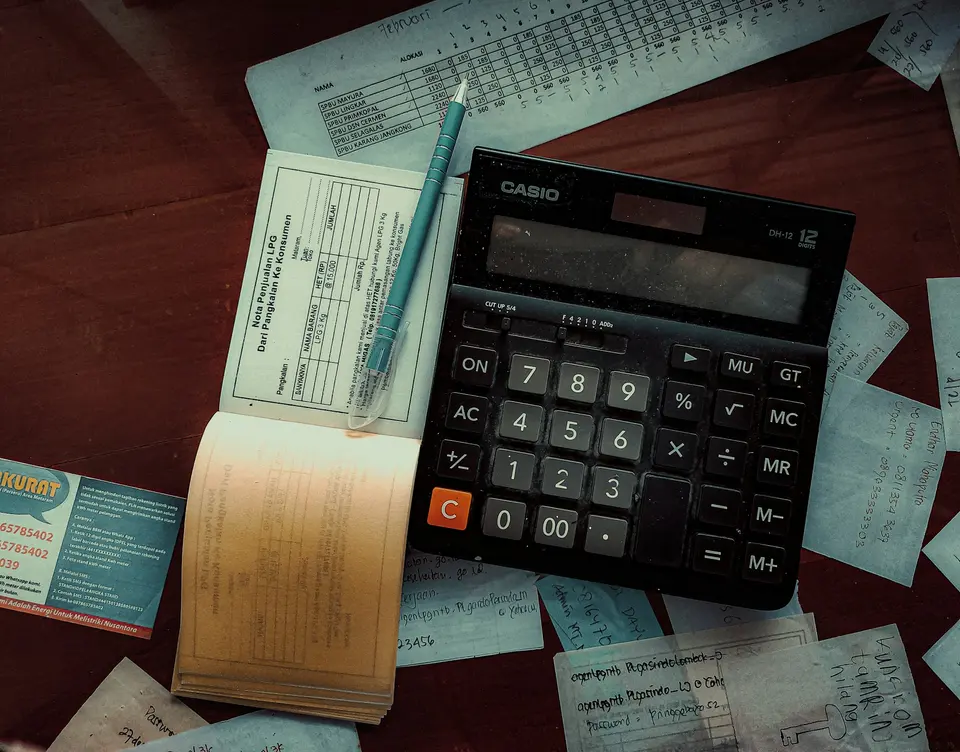
A clean workspace with computer showing invoicing software
Photo by FIN / Unsplash

Invoicing is where freelancers bleed money without bleeding visibly.

You finish a project. You sit down to invoice. And suddenly, three weeks have passed, you’ve forgotten half the work you did, and you’re too embarrassed to ask for the full amount because you can’t prove what you delivered.

Or worse: you send the invoice on day one, and it disappears into a black hole. No payment reminder exists. You send another one. Radio silence. Then one day you realize the client changed their billing email and never told you.

The real problem isn’t laziness. It’s that invoicing tools used to be designed by people who’d never actually invoiced anyone. They build complexity where you need speed. They hide the button you need. They make you feel like you’re doing something wrong when really the software just sucks.

The good news: invoicing doesn’t have to be soul-crushing. You don’t need seventeen subscriptions or an accountant sidekick. You need a tool that does one thing (get money to show up in your account) without making you want to delete your business.

🎯 The Overkill Options (If You Need Them)

FreshBooks

It’s the powerhouse. Invoicing, expense tracking, time tracking, project management, client portals, automated reminders: it does everything a solopreneur might need.

The thing is: you probably don’t need everything. But if you do invoice a lot of different clients, manage multiple projects, and want a single dashboard for the business side of freelancing, FreshBooks doesn’t make you stab your eyes out. It’s actually well-designed.

Cost is the catch. You’re looking at $15–$55/month depending on features. That’s real money for a solo freelancer. Use it if you invoice so many clients that management becomes genuinely complicated.

HoneyBook

Marketed toward designers and creative freelancers, HoneyBook bundles invoicing with proposals, contracts, and a client portal. It looks nicer than FreshBooks and feels less corporate.

Good for: people who need the full project-to-payment pipeline in one place. You send a proposal, they sign a contract, they get invoiced, they pay. All in one system.

The friction: it’s $30–$120/month depending on tier, and you’re paying for features like contract signing and project collaboration that many freelancers genuinely don’t need.


⚡ The Sweet Spot (What Most Freelancers Actually Need)

Wave

This is the one. Free invoicing, free accounting, free expense tracking. No hidden fees. No “upgrade to unlock” nonsense.

Wave does invoicing without fuss: create an invoice, customize it however you want, send it, and get a notification when the client views it. You can set up automatic payment reminders (7 days before due, 3 days after, etc.). Clients can pay directly through Wave with a tiny fee deducted, or they can pay outside the system and you mark it received.

The real feature that matters: it integrates with your bank. Transactions sync automatically. At the end of the year, you’re not scrambling to categorize things. It’s already done.

Is it perfect? No. The design is utilitarian. It doesn’t make you feel like a fancy agency. But it works, it’s free, and it handles the job without bureaucracy.

Use Wave if: you invoice clients occasionally, you want to stop spreadsheet madness, and you don’t want to pay monthly for something this fundamental.

Bonsai

Positioned as the “all-in-one” for freelancers, Bonsai combines invoicing, contracts, proposals, and time tracking in one place.

The vibe is less corporate than FreshBooks, more visual than Wave. You get templates that look professional without looking like every other freelancer in your industry. The invoicing is straightforward, and payment tracking is clear.

Cost: $9–$79/month depending on tier. The lowest tier covers basic invoicing. Worth it if you actually use proposals and contracts regularly. Then you’re consolidating multiple tools.

Use Bonsai if: you already send proposals and contracts as part of your workflow. If you’re just invoicing, you’re paying for stuff you won’t use.


🔧 The Actually Simple Approach (If You’re Radical)

Google Sheets + Payment Links

Some of the best invoices I’ve seen come from a well-designed spreadsheet.

You create a clean template (there are thousands online). You generate a Stripe or PayPal payment link for the amount. You email the spreadsheet as a PDF. It’s professional, fast, and requires zero monthly payment.

The catch: no automatic reminders. No integration with your bank. You have to manually track what’s been paid. It works until it doesn’t. Usually around the moment you have 15+ clients.

But if you’re invoicing five people a year? This is faster than setting up Wave.

Square Invoices

Send a professional invoice, set payment terms, get notified when they view it and when they pay. $1 fee per transaction if they pay through Square. Otherwise, free.

It’s the middle ground. More polished than a spreadsheet. Simpler than Wave. No monthly subscription.

Use Square Invoices if: you invoice occasionally, you want something that looks professional without friction, and you don’t mind the small per-transaction fee.


🚀 The Thing Nobody Talks About

The best invoicing tool is the one you’ll actually use.

I know a freelancer who uses a $60/month invoicing suite and invoices everyone three months late because the interface stresses her out. She avoids it. She loses money.

I know another who uses a Google Form that populates a spreadsheet, sets a reminder on his calendar, and invoices on Friday afternoons. He gets paid in five days consistently.

The tool doesn’t matter. The friction matters. If it takes you 15 minutes to send an invoice, you’ll avoid it. If it takes two minutes, you’ll do it the day the project ends.

That’s the real difference.


💡 My Actual Setup

I use Wave. I invoice when the project’s done, not three weeks later. Automatic reminders do the follow-up. I connect it to my business bank account once a year during tax season, and my accountant sighs slightly less than before because the data’s already organized.

It’s not fancy. It doesn’t make me feel like a seven-figure agency. But I don’t think about invoicing anymore, which means I invoice faster, get paid faster, and spend more time on work that actually matters.


If you’re losing money because invoicing feels like a chore, try Wave. If you’re invoicing dozens of clients and need project management bundled in, try Bonsai or FreshBooks. If you’re invoicing five people a year, build a spreadsheet template and move on.

The only wrong choice is the one you keep avoiding.

For more on the money side of freelancing, read about the uncomfortable math of freelance hourly rates. Understanding what you actually owe yourself is step one. Then comes invoicing without delay. If you’re running a solo operation, you might also find my actual tech stack for running a one-person business useful for seeing how invoicing fits into the bigger picture.

And if you’ve already wasted money on tools you don’t use, check out cheap tools that replaced expensive ones in my workflow. The principle is the same: do more with less, not less with more.